Most replacements cover the planning half β forecasting, reorder points, generating the purchase order. The half that costs you hours is what happens after the boxes arrive.
This is a checklist, not a pitch. Take it to whichever tool you end up choosing.
Shopify has said you keep read-only access to export your Stocky data for at least 90 days after 31 August. Purchase orders with status and costs, stocktakes, SKU and barcode data β all of that still comes out through Stocky's own reports.
One thing does not. Supplier records cannot be exported. Every other object has a file format; this one does not. If you have built up lead times, contacts and terms per supplier over years, that has to be written down by hand before the window closes.
Historical purchase orders and stocktakes also do not move into Shopify automatically. If you want them, you export them yourself. Do that first, then read the rest of this page.
When merchants describe what they lost, the answers split cleanly in two.
Forecasting, reorder points, turning that into a purchase order and sending it to a supplier. Plenty of tools do this now, at every price point. If this is your whole problem, you have real choice β and you can stop reading here.
Receiving against the purchase order, partial deliveries, cost and margin per line, barcode labels for what actually turned up, and a count you can approve before it hits stock. Far less covered. If you have a physical store, this is where the hours go.
How many SKUs do you physically receive in a week? Under fifty and the second half is an annoyance. A few hundred and it is the whole job β merchants in the Shopify Community describe native purchase orders taking several times longer to receive than Stocky did.
If you ship only from a warehouse and never touch a label, the second half may genuinely not matter to you. Be honest about which one you are.
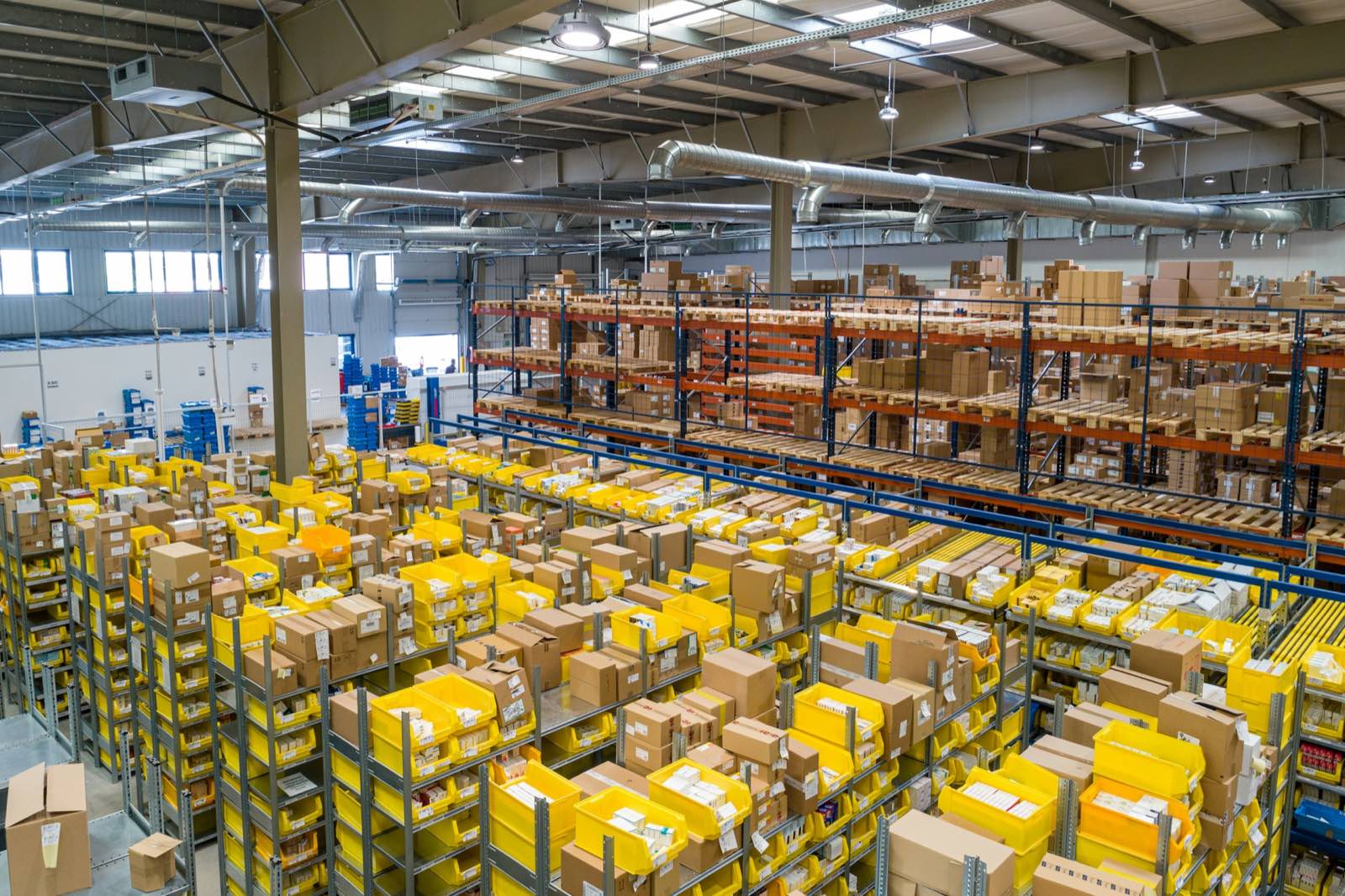
This is where the second half happens.Not in a dashboard. At the shelf, with a box open and a scanner in your hand.
One row per SKU, everything editable, margin recalculating while you work. Below is that row, running on this page. Scan the item, or type a cost or a price, and watch what moves.
lib/receiving/core.js| SKU | Item | Ordered | Received | Unit cost | Sell price | Margin | Status |
|---|---|---|---|---|---|---|---|
| CONTI-GP5-28 | Continental GP5000 S TR · 700x28 | 24 | β | open |
Receiving is a two-handed job. You are holding a carton, checking a packing slip, counting. The keyboard is the thing you cannot reach. So you say the number out loud, and the row fills in.
The interesting part is not that it hears you. It is what it refuses to do. It never writes anything by itself β it proposes, and you confirm. Two quantities in one sentence, an item it is not certain about, or a number larger than what is still outstanding: it fills in nothing and tells you why. A blank field is recoverable. A wrong quantity in your cost history is not.
voice-parse.jsShopify stores one unit cost per variant β the last one you paid. Update it after a delivery and every historical margin moves with it. Last quarter's numbers are not what they were when you looked at them.
You do not find this out from a warning. You find it out when a report disagrees with your memory.
The manual fix is a dated cost snapshot kept per delivery, in a spreadsheet. Merchants say the same thing about that: almost nobody keeps it up. So ask whether a tool keeps a dated cost record of its own, or whether it writes over the number the way Shopify does.
Shipping and customs have to be spread over the units before your cost is real β and per shipment, not per order, because partial deliveries carry different freight. In a spreadsheet that is a job at every delivery. Ask whether the tool spreads landed cost per shipment, and whether you can see the split before you confirm it.
Retailers who moved from QuickBooks POS to Shopify POS keep raising the same thing. In the old system you received a purchase order and printed labels for everything on it, with the right quantities, in one step. In Shopify POS you look up each item, set the quantity, and print it β one at a time.
On a delivery with hundreds of lines that turns minutes into hours. One merchant in the Shopify Community put it at fifteen extra hours a week on this task alone. Whether that number is anywhere near yours depends on how you print: sheets are worse than rolls, and template alignment makes it worse again.
Two questions worth asking: does it print labels for what actually arrived rather than what was ordered, and can you reprint from a delivery you received last month?
Take this to any tool you are evaluating, including ours. The answers are quick to get and they separate the options fast.
| Ask | Why it matters |
|---|---|
| Can I receive against the PO on one screen, one row per SKU? | Every extra screen multiplies by the number of lines in the delivery. |
| Can I take a partial delivery and leave the rest open? | Suppliers split shipments. If the tool cannot, you keep a second record by hand. |
| Do I see cost, selling price and margin while receiving? | Pricing decisions happen at the box, not a week later. |
| Does it keep a dated cost history, or overwrite one cost? | Decides whether last quarter's margins stay true. |
| Does it spread freight and duty per shipment? | Otherwise landed cost is a spreadsheet job at every delivery. |
| Can I print barcode labels for what actually arrived? | This is where the hours are, if you print labels at all. |
| Can I export everything, including cost history? | You have just lived through an app going away. Ask before you need it. |
| Who answers support, and how fast? | You will need them on a delivery day, not on a Tuesday afternoon. |
Built and tested: a scanner-first receiving terminal with margin live on the line, dated cost history with weighted average cost, landed cost spread per shipment, and barcode labels printed for what actually arrived. The labels at the top of this page came out of that code.
Not there yet: the app is not in the Shopify App Store. We are building toward launch, not selling a licence today. Demand forecasting comes after the shop-floor work is right, not before it.
What we will not do: claim a feature that is not tested end to end, or make your data hard to take with you. Full export is part of the product, not a retention lever.
For creating and sending orders, often yes. The complaints are about receiving: merchants report it taking several times longer than Stocky for deliveries with a few hundred lines. Native purchase orders are also not available through Shopify's public Admin API as of the 2026-07 version, so no app can extend that screen β every purchase-order app keeps its own records instead.
Not immediately. Shopify has said there is read-only access to export for at least 90 days after 31 August 2026. Purchase orders, stocktakes and SKU data can be exported; supplier records cannot, and have to be recreated by hand.
Probably not. If nobody in your business physically opens a box against a purchase order, the second half of this page does not apply to you, and a planning-focused tool will serve you better.
Because there is nothing to install yet. When there is, it will be said plainly rather than woven into the advice.
One email at launch. Nothing else, and you can leave at any time.
Dates and export limits on this page come from independent write-ups of the Stocky sunset, which agree on 2 February 2026 for delisting, 31 August 2026 for shutdown, a read-only export window of at least 90 days, and supplier records being the one object that cannot be exported. The receiving and label experiences are merchants' own words in the Shopify Community. If you find something here that is wrong, say so and it gets corrected.